

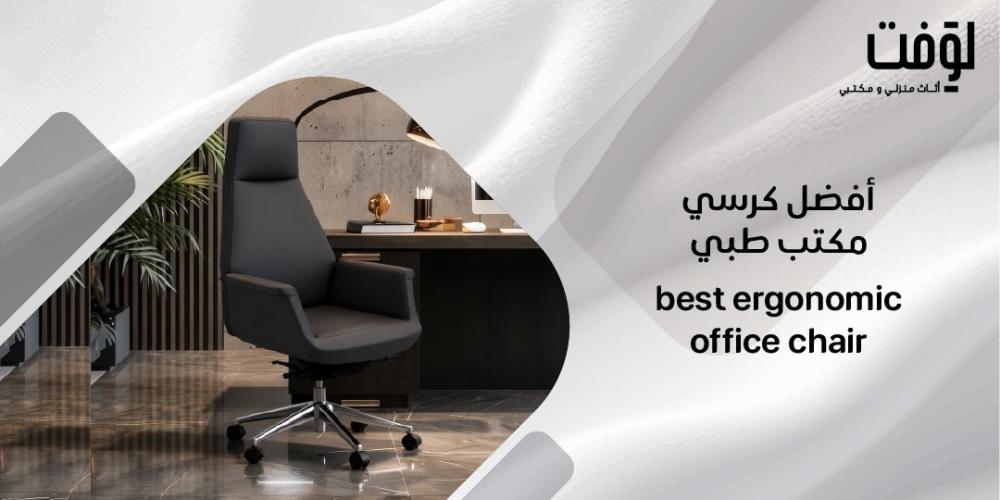
Spending long hours in front of a computer screen has become a daily reality for many employees and remote workers. What many overlook is that the chair they sit on plays a pivotal role in their comfort and productivity levels. Relying solely on luxurious upholstery or an attractive design is not enough; the best ergonomic office chair is, at its core, an adjustable ergonomic seating solution that provides adequate height, distinct lumbar support, and a tilt mechanism that adapts to your body rather than just the chair’s frame. Choosing and adjusting it correctly can help reduce back and neck strain, though individual results vary depending on body build, sitting posture, and overall workstation setup.
If you are looking for an ergonomic office chair that blends modern design with functional features built for contemporary workspaces, the Loft store offers a diverse collection of office chairs designed for intensive daily use. Explore the available options today and choose the chair that fits your body size and work requirements.
Top Ergonomic Office Chairs from Loft
For those seeking an ergonomic office chair that combines quality finishing with adjustment flexibility, Loft offers a curated selection of office chairs suited for modern workspaces and executive offices. Before making a purchase decision, be sure to compare backrest height, available tilt mechanisms, surface material, and caster types, as these details directly impact comfort during long working hours.
1. Wing Task Chair
The Wing Task Chair is a standout choice for those seeking a modern ergonomic office chair designed for contemporary and executive settings. Finished in high-quality PU leather with a smooth, easy-to-clean surface, product specifications highlight its resistance to peeling under continuous daily use.
The chair features a single-position lock tilt mechanism allowing angle adjustments as needed, a Class 3 imported gas lift for smooth height customization, and a 5-star aluminum alloy base delivering solid stability. The muted PU casters ensure quiet, smooth mobility while protecting flooring.
Its mid-back design suits users who prefer freedom of movement alongside mid-back support, though it lacks an extended headrest found in high-back models. While this design helps support posture and reduce back fatigue for many users, overall comfort depends on height adjustment, posture, and work duration—and should not replace medical advice. Regular wiping with a soft cloth is recommended to maintain its appearance.
- Specifications:
- Surface Material: High-quality, peel-resistant PU leather
- Backrest Height: Mid-back
- Tilt Mechanism: Tilt with 1-position lock
- Gas Cylinder: Class 3 imported gas lift
- Base: 5-point aluminum alloy base
- Casters: Silent, cushioned PU casters
2. Reno Executive Office Chair
The Reno Executive Office Chair is tailored for professionals searching for a sophisticated ergonomic chair suited for private offices and boardrooms. Upholstered in premium leather, it delivers a distinctly professional look, while its high-back executive structure supports the entire back and shoulder region throughout the workday.
The Reno features a synchronized tilt mechanism with a 4-position lock, offering greater flexibility to adapt to various working positions and break times compared to the Wing chair. It is supported by a sturdy aluminum alloy base, moves smoothly on reinforced quiet PU casters, and utilizes a Class 3 chrome gas lift for seamless height adjustments.
The high backrest combined with the multi-position synchronized tilt delivers noticeable comfort during long work sessions. Note that these are design features rather than a guarantee to prevent or cure back or neck pain, making proper adjustment essential for every user. This chair is the ideal option for those requiring a high backrest with versatile recline options.
- Specifications:
- Surface Material: Professional-grade leather
- Backrest Height: High-back
- Tilt Mechanism: Synchronized tilt with 4-position lock
- Gas Lift: Class 3 chrome cylinder
- Base: Aluminum alloy base
- Casters: Reinforced, quiet-movement PU casters
Key Selection Criteria
Selecting the best ergonomic office chair goes beyond aesthetics or price; it relies fundamentally on how well the chair adapts to the user's body and workplace configuration. Anyone sitting at a computer for extended periods needs precise control over every component, from seat height down to selecting casters compatible with their flooring. Each criterion below bridges actual sitting posture with the functional features provided by the chair.
1. Height Adjustment Most adjustable office chairs rely on a lever or gas lift mechanism to raise or lower the seat effortlessly. The goal of this setting is to keep your feet resting flat on the floor or on a dedicated footrest, maintaining knees at roughly a 90-degree angle with thighs parallel to the ground.
- A seat height range of 40–53 cm off the floor serves as a common reference point for most adults, though this is not a rigid rule.
- User height directly influences the ideal setting, as taller individuals require a vastly different setup than shorter individuals.
- Desk height is a crucial variable that should not be ignored, as the chair is adjusted relative to the desk rather than in isolation.
- Using a footrest expands comfortable usage for individuals whose feet do not reach the floor at standard desk heights.
2. Lumbar Support Effective lumbar support in an intensive-use office chair contacts the natural curve of the lower back without forcing it into an exaggerated arch or uncomfortable posture. This subtle distinction is vital, as excessive pressure creates discomfort rather than relieving it.
- Fixed Lumbar Support: Provides a set resting point that cannot be altered, which may suit users whose anatomy naturally aligns with the default height.
- Adjustable Lumbar Support: Allows users to modify the height, depth, or both, making it far more versatile for accommodating different body types.
An adjustable chair featuring targeted lumbar support can help users achieve a healthier posture and lessen fatigue during work hours, though individual experiences vary based on setup and habits.
3. Tilt and Lock Mechanism A tilting backrest is more than an extra feature; it allows dynamic posture changes throughout the day instead of keeping the body locked in a single rigid angle. The locking mechanism secures the preferred angle and prevents unwanted shifting.
- Some chairs feature a single-position lock, giving users a simple choice between free movement or locked upright alignment.
- Other chairs support multi-position locking, offering broader freedom to choose ideal angles for different work tasks or short breaks.
- No single tilt system suits everyone universally; selection depends on personal preference and workflow demands.
4. Materials and Casters Buyers often contrast PU leather surfaces with breathable mesh backrests, both serving practical purposes. PU surfaces wipe clean effortlessly, making them ideal for environments requiring regular maintenance. Mesh backrests are preferred for enhanced airflow during long sitting stretches.
When it comes to floor protection, quiet PU casters deserve extra attention:
- PU casters generate significantly less noise than hard plastic wheels, reducing workplace distractions.
- Risk of floor scratching is minimized with PU construction, though actual floor surface types remain the ultimate consideration.
- Whether working on carpet, hardwood, or tile, verifying caster compatibility before purchasing is strongly recommended.
Workstation Optimization
Owning an exceptional ergonomic office chair is a crucial step, but it cannot function in isolation from the rest of your workstation setup. A chair alone cannot offset an improperly proportioned desk or a monitor placed too far or uncomfortably close. Synchronizing every workstation element makes the real difference in overall sitting comfort and strain reduction.
1. Foot Placement Healthy foot positioning begins with adjusting seat height before altering anything else, followed by fine-tuning desk and keyboard alignment.
- Keep feet resting flat on the floor, using a footrest if necessary when feet do not reach comfortably.
- Maintain a small clearance gap between the edge of the seat pad and the back of the knees to prevent restricted circulation.
- Once seat height is finalized, ensure foot positioning does not cause shoulder elevation or forward leaning to reach the keyboard.
2. Monitor Positioning Monitor height and viewing distance directly impact neck and shoulder alignment throughout the workday.
- Position the screen directly ahead at a comfortable viewing distance of roughly 50.8 to 101.6 cm (20–40 inches).
- Align the top of the monitor display at or slightly below eye level, adjusting for user height and screen dimensions.
- Coordinate monitor position alongside keyboard and mouse placement to prevent hunching or neck strain.
3. Movement Breaks Remaining static in a single posture all day diminishes the benefits of any ergonomic chair.
- Alternate sitting postures frequently during the work shift, taking advantage of built-in tilt features.
- Incorporate brief movement breaks to relieve pressure build-up along the spine and muscle groups.
- Aligning seat height with screen and peripheral setups helps reduce physical fatigue, though persistent or sharp pain warrants professional medical consultation.
Pre-Purchase Inspection Checklist
Shoppers frequently fall for visually striking chairs that look great in photographs but fail during actual full-time daily use. Before finalizing a purchase, use this practical checklist to evaluate specs directly on product pages or during physical testing.
1. Base Stability Evaluating a chair starts from the ground up, as base construction reflects long-term structural integrity:
- Verify that the frame utilizes a 5-star aluminum alloy base, as 4-star configurations offer significantly less balance stability.
- Inspect the casters for smooth rolling performance suited to your specific floor type, whether hardwood or carpeting.
- Check for unusual wobbling when seated or rolling, which may indicate poor assembly or low-grade materials.
2. Adjustment Smoothness Testing tilt mechanisms and control levers is just as critical as reading published specifications:
- Test the gas lift height adjustment to confirm smooth operation without unexpected sinking under weight.
- Verify the number of lockable tilt positions; more positions provide greater adaptability across different tasks.
- Ensure all control levers are easily reachable from a seated position without uncomfortable strain.
3. Seat Ergonomics Proper seat fit marks the true distinction between a genuinely ergonomic office chair and one that is merely comfortable at first glance:
- Confirm that seat depth does not press uncomfortably against the back of your knees when sitting fully back.
- Check that the backrest delivers genuine, firm contact against the lumbar region.
- Ensure the backrest does not push your spine into an unnatural position due to excessive contouring or overly aggressive lumbar padding.
- Sit in the chair for several minutes whenever possible; physical testing reveals nuances that specification sheets cannot.
4. Warranty and Service A comprehensive warranty reflects manufacturer confidence in product durability. Before making your purchase, verify these essential terms:
- Read warranty coverage carefully to ensure separate coverage for tilt mechanisms, gas cylinders, aluminum bases, and casters.
- Confirm that the warranty protects against issues resulting from normal operational wear and tear.
- Review delivery, return policies, and post-purchase customer support details with Loft to remain fully aware of your buyer rights.
Frequently Asked Questions
What are the best types of ergonomic office chairs? The best options are fully adjustable ergonomic chairs that offer customizable seat heights, adequate lumbar support, smooth tilt mechanisms with position locking, and a stable multi-point base equipped with floor-appropriate casters.
What is the best office chair to buy? The ideal office chair is one that matches your physical height and desk proportions, allowing your feet to rest flat while properly supporting your back curve. No single model fits every individual universally; proper selection begins with understanding your physical requirements.
What is the most famous office chair? Popularity alone does not guarantee a proper personal fit. It is far more important to compare mid-back versus high-back structures, examine tilt options, and inspect base and caster quality. Browsing the Loft catalog allows you to discover options matched to real daily needs rather than brand hype.
What is the best office chair for back pain? Look for an adjustable chair featuring built-in lumbar support that conforms to the natural curve of your lower spine, combined with proper seat height and monitor alignment. An ergonomic chair serves as a supportive preventive tool rather than a medical cure for chronic back pain.
Finding the ideal ergonomic office chair is not about picking the most expensive model or the one with the most eye-catching design. It comes down to combining proper height adjustments, contoured lumbar support, responsive tilt mechanisms, and a sturdy base built to endure long working hours. Ultimately, a comfortable chair tailored to your body and workflow is always the smartest investment.
If you prefer a mid-back design with a sleek PU finish, quiet casters, and a single-lock tilt mechanism, the Wing Task Chair is your ideal fit. If you require a high-back profile with a 4-position synchronized tilt and a executive look, the Reno Executive Chair offers superior posture support for formal office environments. Explore the Loft collection today, examine product specifications, and choose the chair best suited to your workspace and daily routine.