

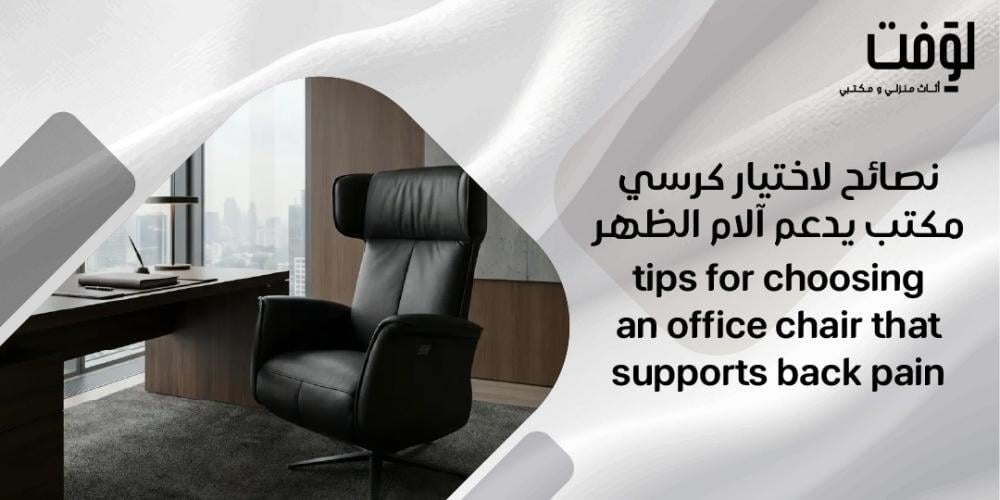
If you spend long hours at your desk and suffer from recurrent lower back pain, you are not alone. Sitting for extended periods on an unsuitable chair places continuous pressure on the lumbar vertebrae, which over time turns into chronic pain that impacts both productivity and overall health. For this reason, tips for choosing an office chair that supports back pain are among the most frequently searched topics by office workers seeking practical, effective solutions rather than just theoretical information.
This article provides a comprehensive guide, backed by essential medical insights regarding proper posture and its impact on the spine. It covers everything from the core specifications to look for in a back-friendly chair to how to adjust it properly for maximum comfort. If you are looking for practical, high-quality options that combine genuine lower back support with thoughtful design, Loft Store offers a diverse selection of ergonomic office chairs built for long working hours. You can browse and choose the one that perfectly fits your needs.
The Role of Lumbar Support
The lumbar region is the most vulnerable part of the spine when sitting for long periods. A chair that lacks proper lumbar support leaves this area suspended without a baseline rest, prompting the body to automatically slouch forward.
Built-in lumbar support maintains the natural curvature of the spine, distributing weight evenly rather than concentrating it on a single point. This minor anatomical feature makes a tangible difference in reducing direct lumbar pressure during work hours.
The Importance of Adjustability
There is no one-size-fits-all when it comes to the human body. This is why adjustability is at the core of all tips for choosing an office chair that supports back pain. An adjustable chair allows every user to align the seating height with their body height and desk setup.
When the height is correct, your feet rest flat on the floor and your knees remain at a natural angle, significantly relieving muscle tension in the lumbar area. A fixed, non-adjustable chair cannot achieve this harmony for varying body types.
Seat Depth and Back Pressure
Seat depth is a detail many overlook, despite its direct impact. A seat that is too deep forces the user to slide forward or hunch away from the backrest, completely neutralizing any lumbar support, no matter how good the chair is.
Conversely, a seat that is too short restricts weight distribution across the thighs and increases pressure on them. The ideal depth leaves a small gap between the edge of the seat and the back of the knees, ensuring full thigh support while keeping the back firmly against the backrest.
Materials and Breathability
The material used in a chair's seat does not just affect immediate comfort; it plays a role in the quality of long-term sitting. Dense, non-breathable materials trap heat and raise the temperature of the seating area, accelerating feelings of stiffness and muscular discomfort.
Highly breathable materials allow continuous air circulation, maintaining a moderate coolness and reducing cramping caused by prolonged sitting. This factor complements the rest of the specifications, making the daily work experience far more sustainable.
Best Chairs for Back Pain from Loft
Loft Store offers a curated selection of chairs that blend functional support with thoughtful design, utilizing high-quality materials that make them a practical choice for long hours at the desk. If you are researching tips for choosing an office chair that supports back pain, these chairs are well worth considering:
1. Wing Swivel Chair
The Wing Swivel Chair is crafted from soft-touch PU synthetic leather, featuring a lockable tilt mechanism that allows you to control the seating angle according to your needs. The chair operates on a stable Class 3 gas lift cylinder, anchored by a 5-star aluminum base that offers steady balance.
Its casters glide silently due to internal padding, making it ideal for quiet work environments. It features a mid-back support and a modern design that seamlessly blends with contemporary office decor.
2. Elegn Yellow Chair
The Elegn Yellow Chair is built on a sturdy internal wooden frame that grants it long-lasting stability and durability. It is upholstered in a hybrid exterior of synthetic and top-grain leather for a comfortable texture and elegant look. The internal foam padding adds an extra layer of comfort during prolonged sitting.
Supported by solid metal legs, it comes in a distinct lemon-yellow color that injects vitality into the surrounding space. Its clean, structured design makes it perfect for those looking for a functional chair with a strong sense of personality.
Vital Specifications to Consider for Back Support
Before making a purchase decision, there are specific technical criteria that directly affect your back health and daily posture. Understanding these standards allows you to compare available options and choose what genuinely fits your practical needs, rather than what simply looks good on the outside. If you are looking for tips for choosing an office chair that supports back pain, start with these specifications:
- Adjustable Lumbar Support: The spine has a natural curve in the lower back, and any chair that fails to support this curve causes chronic strain over time. Therefore, an adjustable lumbar backrest is a prominent feature to look for, allowing you to tailor the support to your precise physical build.
- Proper Seat Height: Sitting at an incorrect height forces your body into accumulative poor postures. The ideal seat keeps your knees at roughly a 90-degree angle, distributing pressure evenly and relieving the load on the lumbar region. Precise height adjustment also means your feet rest flat on the floor, benefiting the alignment of the pelvis and the entire spine.
- Backrest Tilt and Recline Adjustment: Staying in a single position for hours causes muscles to stiffen, even if the posture is theoretically correct. This highlights the importance of a reclining backrest, which allows you to change your seating angle periodically without leaving your desk. This feature helps stimulate blood circulation and reduces the feeling of heaviness in the back during long work sessions.
- Seat Width and Depth: Many overlook these two dimensions despite their immense importance. A seat that is too narrow or too deep creates pressure behind the knees and obstructs blood circulation, while an overly wide seat causes a loose sitting posture that strains the spine. The correct size allows you to lean fully against the backrest with a small gap remaining between the seat edge and the back of your knees.
- Armrests: The shoulders and neck carry a massive amount of tension when arm support is missing. Adjustable armrests allow your shoulders to relax instead of being shrugged constantly, decreasing muscle tension in the upper body. This detail may seem simple, but it is highly influential during continuous work hours.
Common Mistakes When Buying an Office Chair
Many buyers fall into mistakes that seem minor but directly impact back health in the long run. Focusing on aesthetics and design alone without considering essential health elements makes the chair a burden rather than a support. Understanding these common pitfalls will save you from a costly decision you might later regret:
- Ignoring Lumbar Support: One of the most repeated mistakes is choosing a chair without checking its lower back support. The absence of lumbar support increases pressure on the lumbar vertebrae and accelerates pain. A core tip is to ensure the lumbar support is adjustable to match your unique spinal curve.
- Choosing a Narrow or Too Deep Seat: A narrow seat squeezes the thighs, whereas an overly deep seat forces the user to slouch forward away from the backrest, completely losing rear support. The choice of seat material matters too; heat-trapping fabrics cause constant discomfort, leading to frequent shifts in posture. Ensure the seat depth leaves a slight gap behind the knees.
- Failing to Test the Height and Tilt: Neglecting to test the chair's height adjustments and tilt angles leads directly to an uneven distribution of pressure on the lower back and hips. A trial sit before purchasing is a necessity; it reveals whether the chair grants actual relief or merely a comfortable appearance. An improperly adjusted chair behaves no differently than a standard chair, regardless of its premium specs.
Tips for Maintaining a Healthy Sitting Posture
Choosing the right office chair is the first step, but it is not the only one. The way you sit throughout your workday directly affects the pressure exerted on your spine and surrounding muscles. This makes proper posture a primary pillar in relieving back pain alongside using the appropriate chair.
- Distribute Weight Evenly: When body weight is concentrated on one side or a single point, muscular tensions accumulate and turn into pain. Distributing weight evenly across your buttocks and hips reduces muscle strain; make sure to sit balanced without leaning left or right.
- Maintain Spinal Curvature: A straight back paired with lower back support forms the baseline of healthy sitting. Slouching forces the spine to bear a heavier load, leading to progressive vertebral fatigue. While a good chair assists with this, your own awareness and regular posture corrections complete the picture.
- Keep Feet Flat on the Floor: Placing your feet flat on the ground is foundational for proper pelvic support. When feet are dangling or tucked under the chair, pelvic alignment is disrupted, echoing through the entire spine. If your chair's height does not allow this, use a footrest.
- Avoid Leaning Forward for Long Periods: Hunching toward the screen or keyboard for extended periods throws immense extra pressure onto the lumbar vertebrae. The solution starts with adjusting your screen height and distance so you don't have to lean, coupled with taking regular short breaks to stretch your back and reset your posture.
FAQ
What is the right office chair for the back?
The right chair for the back is one that provides robust support to the lumbar region, allows height adjustments to match the user's stature, and keeps the spine in its natural position. Key tips for choosing an office chair that supports back pain emphasize that the backrest should be adjustable and specially contoured for the lower back.
How do I choose a comfortable office chair?
When looking for a comfortable chair, focus on several factors: lower back support, adjustable height and armrests, and a seat depth that matches the length of your thighs. It is also highly recommended to select a chair made with breathable materials to prevent fatigue during long hours of sitting.
What is the best chair for lower back pain?
The best chair for lower back pain features a prominent lumbar support that fills the natural curve of the spine, along with an adjustable tilting backrest that relieves pressure on the spinal discs. Industry recommendations point out that a well-padded seat with lateral pelvic support noticeably reduces physical stress.
What is the best comfortable office chair for long-term use?
The ideal chair for prolonged use combines full back support with multiple adjustment options for height, backrest, and armrests, alongside a stable base that permits effortless movement. Expert tips for choosing an office chair that supports back pain suggest that for long-term use, the chair must certified with ergonomic specifications that ensure total body comfort across continuous working hours.
Conclusion
Following proven tips for choosing an office chair that supports back pain is not a minor luxury; it is a decision that directly impacts your spinal health and daily workflow quality. Correct lumbar support, adjustable height, a flexible backrest, and maintaining a proper sitting posture work together to determine whether a chair relieves pressure from your back or worsens it. If you are looking for a chair that balances functional comfort with anatomical support, visit the Loft Store and explore a collection of office chairs engineered to provide genuine, healthy lower back relief.